










STUG.io - Steel Warfare
Master the art of armor angling and ricochet physics in this tactical tank IO game.
.IO
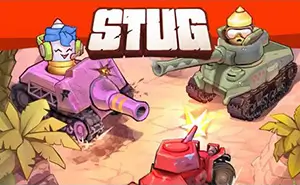
STUG.io - Steel Warfare
Master the art of armor angling and ricochet physics in this tactical tank IO game.
.IO

Conquer.io: Realm Expansion Wars
Expand your realm, outwit rivals, and secure global dominance!
.IO

Natural Disaster Survival Obby
Survive the chaos and master the platforming challenge!
.IO

Level Devil 2
Survive the ultimate mental battle against 80 levels of unpredictable traps!
.IO

Cubes 2048.io
Merge cubes and dominate the arena.
.IO

Obby: Gym Simulator, Escape
Bulk up and break free from the castle!
.IO

UGC Math Race
Run fast, calculate faster!
.IO

BattleTabs.io
Build your ultimate fleet and outsmart opponents in tactical grid-based combat.
.IO

Snake.io
Classic snake mechanics meet modern competitive arena. Grow, outmaneuver, and dominate.
.IO

Mini Royale: Nations
Fast-paced browser FPS with tactical land control
.IO
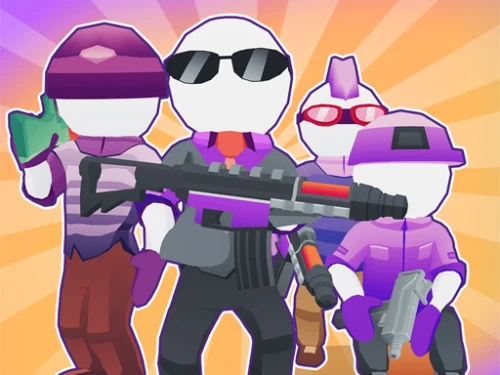
Agents.io
Eliminate rivals, recruit agents, and lead your squad to victory!
.IO

Vortex.io
Swallow the world and grow your power!
.IO

2048 Mayhem.io
Merge numbers and dominate the snake-style survival arena.
.IO

Gridpunk 3v3 Battle Royale
Master the neon-lit arena in this fast-paced 3v3 cyberpunk shooter.
.IO

Fields of Fury
Capture the flag in WWII stylized battles!
.IO


 0 playing

Robostorm.io0 playing
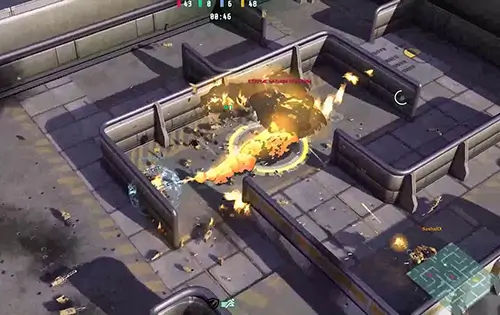
Robostorm.io is an online 3D multiplayer isometric robot battle game built on the high-performance PlayCanvas engine. In this metal-shredding arena, players are sorted into one of four colored teams. Your primary objective is to cooperate with teammates, capture and hold five critical tactical points spread across the map, and systematically eliminate enemy robots using a versatile dual-weapon combat system.
Matches focus on area control. Players must fight to secure the five strategic points marked on the map. Left Click fires the left weapon, and Right Click fires the right weapon. Press Shift to deploy a defensive shield to block incoming front-facing projectiles, and tap Space to execute a quick directional dash. Damaged robots must retreat to the designated "H" repair cabins located in the map corners to recover health and restore destroyed weapon systems.
Due to the complex 3D WebGL physics and the reliance on dual-mouse click mechanics, Robostorm.io is optimized strictly for desktop and laptop browsers.
Locate the "H" marked repair cabins at the far corners of the map. Standing stationary inside these pads will gradually replenish your health bar and automatically reinstall your lost weapons.
Upgrades purchased with XP via the B key are temporary enhancements for the current match. However, logging in with an account saves your overall player level and unlocked starting weapon configurations.




















One-click Login, Play Instantly